Here's the thing about an e-paper writing tablet like the Kindle Scribe: not everyone needs one. Digital notebooks like the reMarkable Paper Pure or the Boox Go 10.3 are aimed at productivity rather than reading, and the latter is what most people want from an E Ink tablet.
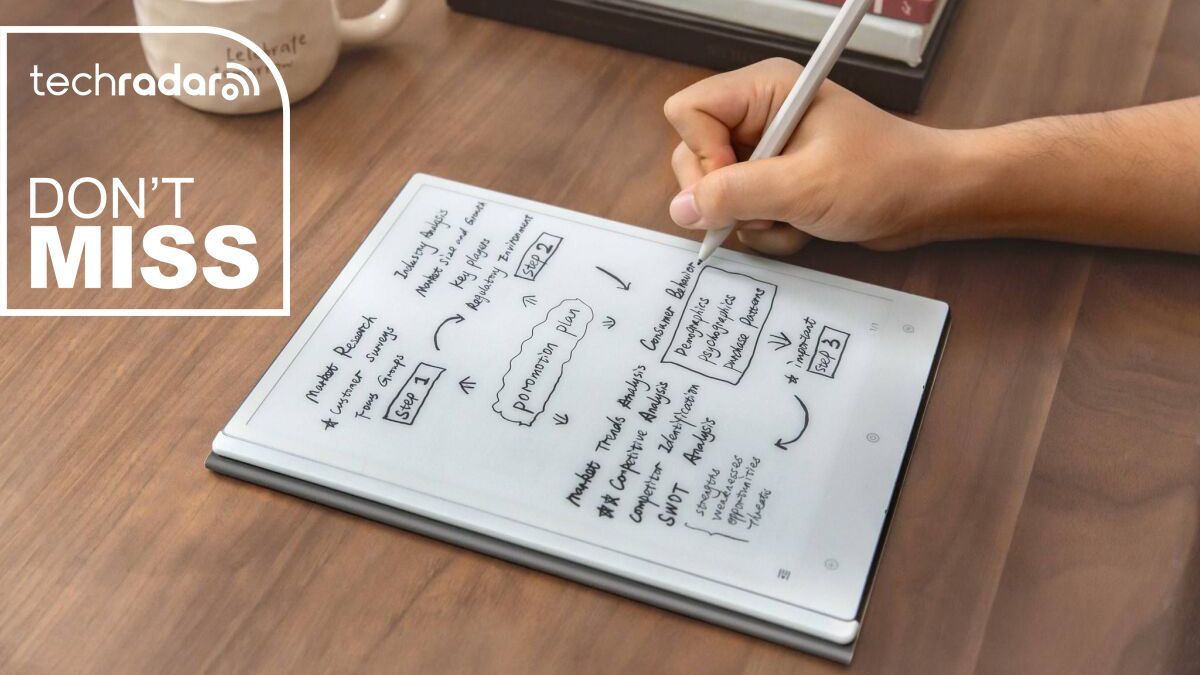
For those who will make full use of a digital notebook writing package, I would highly recommend the ViWoods AiPaper over any product from Amazon, Kobo, or Boox. It runs on a version of Android 13, which may seem outdated now, but it honestly doesn't matter too much on a device like this, and it not only lets you read, take notes, and doodle, but also gives you full access to the Google Play Store.
Personally, I don't think you need to download third-party apps on ViWoods AiPaper as it comes preloaded with a few apps including email, news, and much more.
This remarkably thin and light 10.65-inch e-paper tablet used to have an eye-watering RRP of AU$1,199.99, but has since been reduced to a much more palatable AU$899. However, there's a lovely 33% discount on Amazon for Prime Day that brings the price down even further to AU$599.99, making it cheaper than any of the newer Kindle Scribe 2025 releases from Amazon.
I may wax lyrical if I start talking about this e-paper productivity tablet, but you can get all the information about it in my in-depth ViWoods AiPaper review. I was so impressed that I think it is now the best e-reader for writing.
Calling it an 'ereader', however, does it a disservice: it wasn't designed for reading, and the lack of a front light means you can't do so in bed without having a light on in the room. However, during the day you can still use it as an e-reader, but it is meant to help you organize your thoughts and your day.
It comes with several native apps for precisely that purpose, including one called Paper for taking notes, another called Picking for drawing and doodling, and a Daily app that's essentially your diary/calendar.
Besides Supernote, ViWoods is the only other company I know of that offers a native mailbox app that you can configure to send and receive emails. In fact, you can even write your answers by hand, which the AI assistant can convert to text before sending them. Now, be careful with handwriting recognition: I've found that it's not always perfect, but it will be correct most of the time. The good news is that you can always make edits via the on-screen keyboard before sending the email.
That's not all: you can enter journal entries using voice prompts. There's an onboard microphone that didn't have much trouble understanding me, but I found it easier to write my journal entries and to-do list in the Daily app.
The only native app that confused me a little was the learning app, but it quickly became clear that that's where the library is located and it's the perfect platform for marking up PDFs.
There are also plenty of third-party apps already pre-installed, including Kindle, Kobo, Libby, OneNote, and The New York Times. There's even Marvel Unlimited and Wattpad ready and waiting for you to log in if you use either of those platforms.
Needless to say, ViWoods AiPaper offers a ton of useful features without overwhelming you with its user interface: it's not as minimalist as reMarkable but it's not over-the-top like Boox either.
And it's all neatly wrapped in a beautiful chassis that's one of the slimmest I've come across and uses the E Ink Carta 1300 display that's well optimized here. The supplied stylus is nice to use and the magnetic case that ships with it keeps the slim form factor intact while adding a layer of water protection to the tablet.
I could really go on, but suffice it to say that I love the ViWoods AiPaper and can't recommend it enough.